|
10.23 Language Preferences
KB 3217, Release Note, CRM Development, 10/27/2025
We're excited to introduce a powerful enhancement in version 10.23: improved French and English language separation features that make it easier than ever to connect with your Customers in their preferred language.
Clear, effective communication is the foundation of strong Customer relationships - and speaking your Customer's language is key. With version 10.23, you can now seamlessly manage both French and English content within the same document. No more duplicating content or lengthening documents to accommodate multiple languages - just clean, streamlined communication in the language your Customer prefers.
Keep reading to discover where these enhanced language capabilities have been implemented throughout the software.
Text Messaging - Opt In
Canadian Dealerships serving both French and English-speaking Customers will benefit from a brand-new bilingual Text Opt-In window. This feature allows you to customize both the French and English opt-in and opt-out response labels, as well as their corresponding text messages.
To access this feature, follow the path:
Contact Defaults > Opt In Message
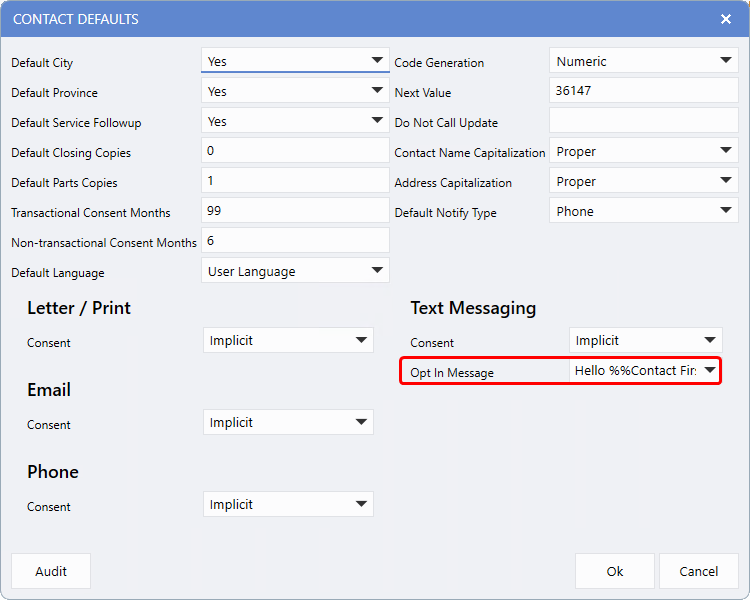
The
French
and
English
tabs allow you to enter response labels and customize the Opt-In message separately for each language, ensuring a tailored experience for all clients.
Note:
Dealerships located in the United States or outside of Canada will not have access to the language tabs, as they are specific to Canadian configurations.
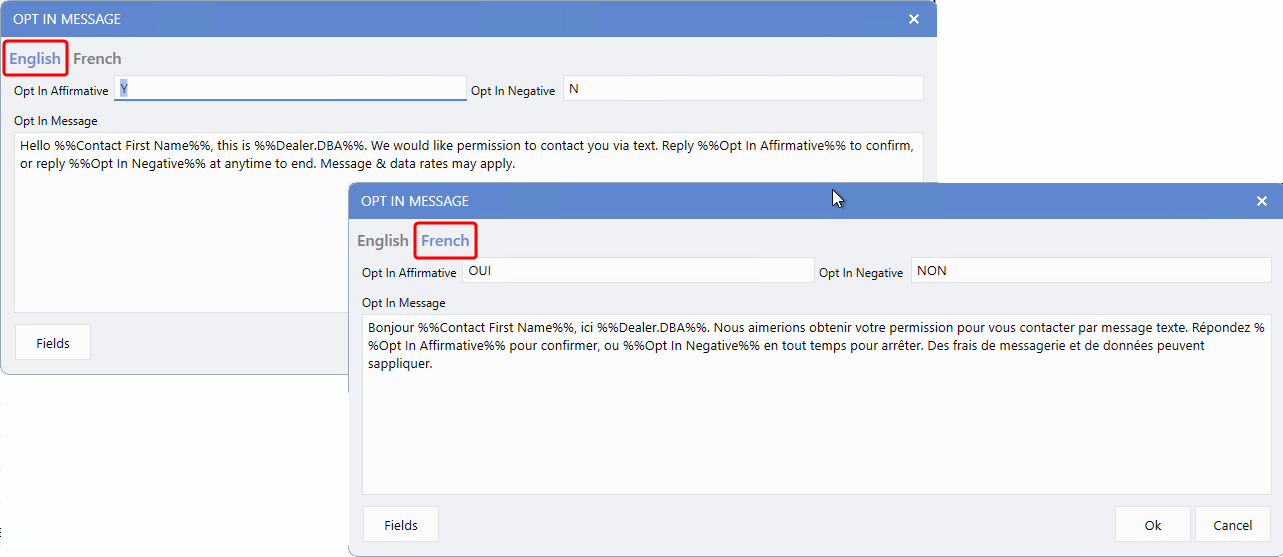
Once your response labels and messages are configured, the Opt-In message will be sent in the appropriate language based on the recipients preference and your system settings. The system determines the language by using the following logic:
1.
It first checks the
Preferred Language
specified in the Contact File.
2.
If no preference is set, it defaults to the
Default Language
defined in the Contact Default Maintenance window.
Contact File - Language Preference
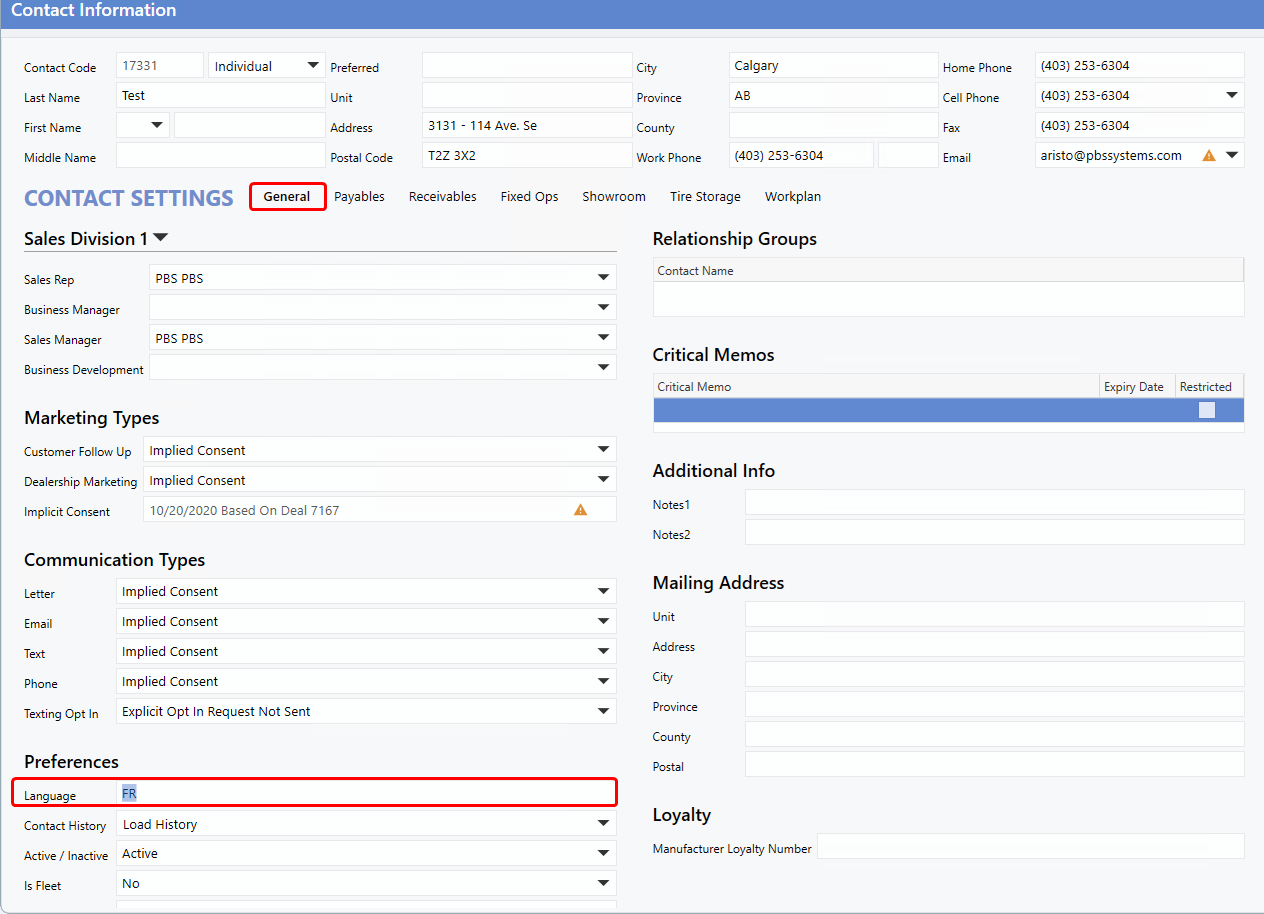
To enhance the User experience and align with security best practices, the
Language
field for Contacts has been moved from the Showroom tab to the General tab, within the Preferences section. As a result, any User with the
View General Details
and
Edit General Details
permissions can now view and update the customer's preferred language.
Workplan Documents - Language Selection
To improve User efficiency, we've streamlined the management of French and English documents within Workplan. A new
Language
drop-down makes it easy for Users to switch between languages. Documents can still be created and managed as usual, now with the added flexibility to work in either the French or English using this convenient toggle.
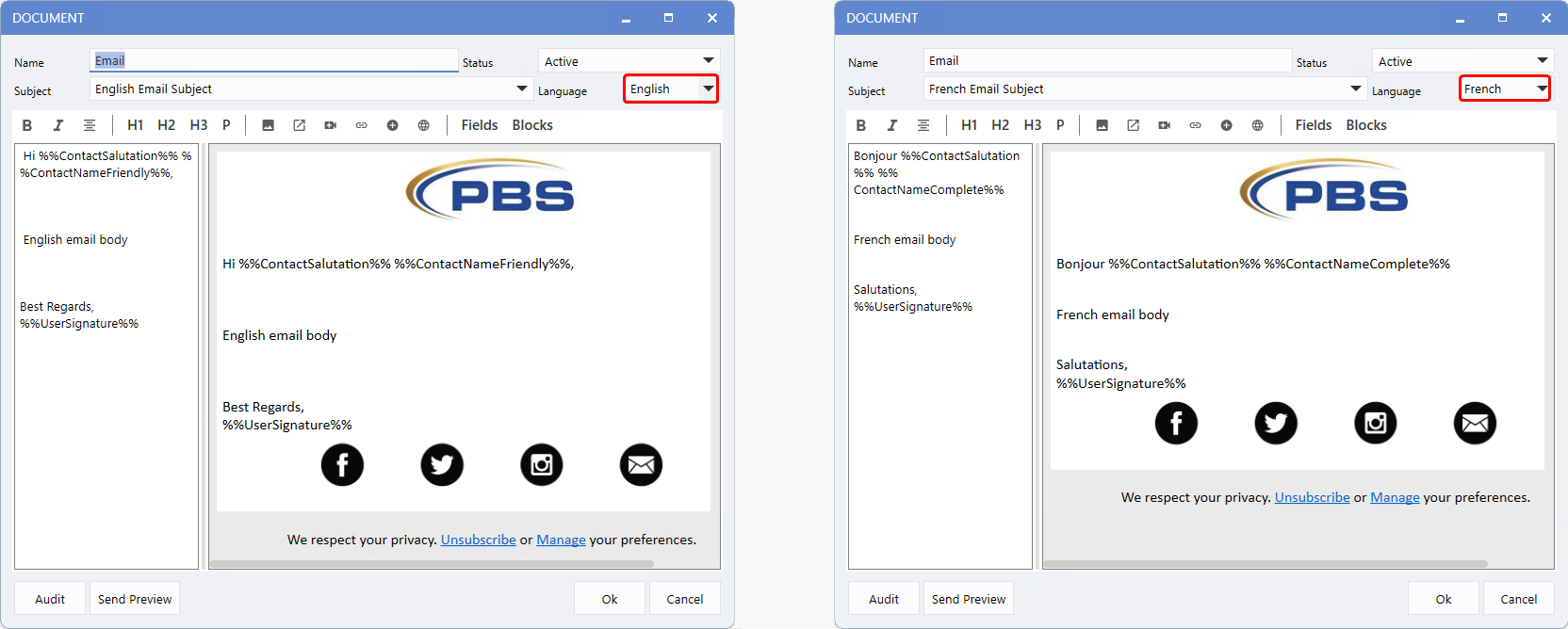
The new Language field is available when creating
Letter, Text, and Email
documents. For
Mailing
documents, the Language field can be used to select either French or English when the action type is
Email or Letter.
However, if the action is a Note, Language field will not appear, as notes are intended solely for internal Dealership use.
Guide Maintenance - Language Selection
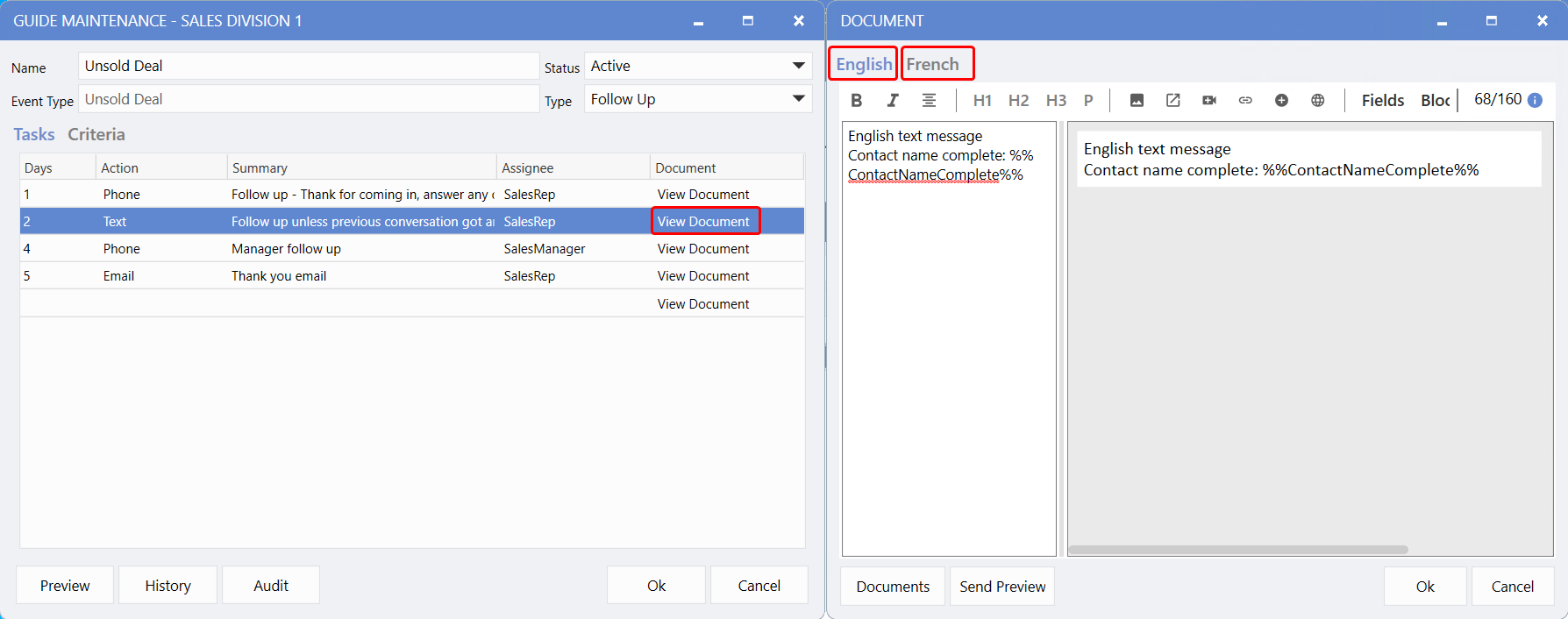
The
View Document
drop-down opens the Document window, where you can create and edit your content. If the document type is a
Letter, Text, or Email,
both
French
and
English
tabs will be available, allowing you to easily edit the content in either language.
On the
Guide Maintenance
window, clicking the
Preview
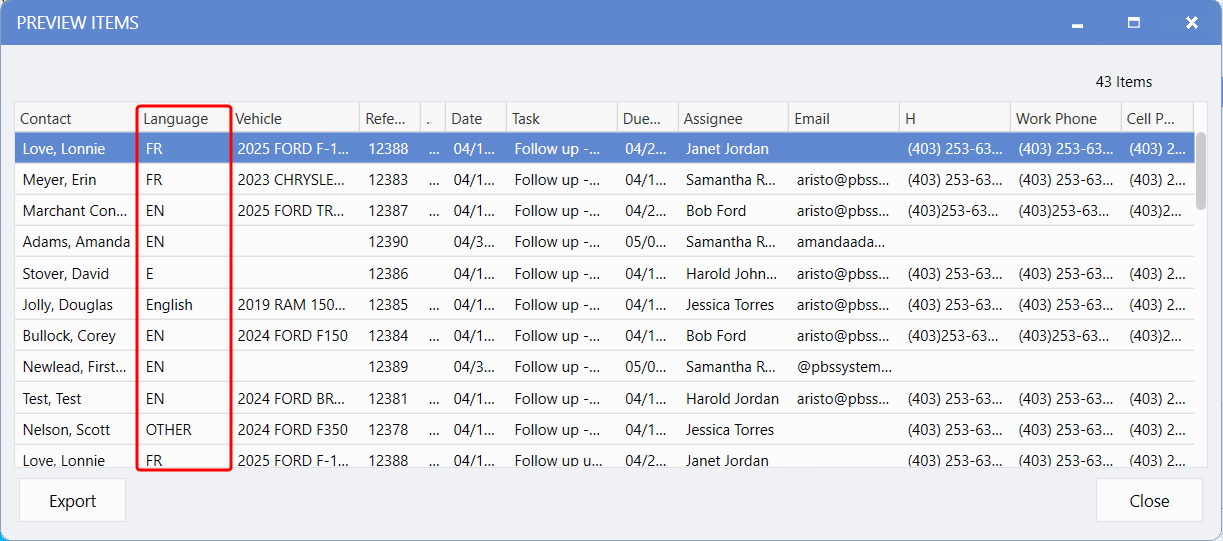
button will display items ready to be actioned, just as before. To help you quickly identify the language used, the new
Language
column has been added. This allows you to review and manage documents before they are sent and make any necessary corrections.
-
If the column shows
F
,
FR
or
French
, the system will send the French version of the document.
-
If the column shows
E
,
EN
,
English
, the English version be sent.
-
If it displays
OTHER
, contains unrecognized or is blank, the system will default to the language configured in the Contact Default Maintenance window.
This Language column is also available in the detailed view of the
Workplan Activity Dashboard
under the
Tasks
Metric.
Note:
With the 10.23 update, your documents now support Language separation. However, French versions will not be created automatically. During the update, your existing document will be duplicated into both the French and English sections. If your original document contains both French and English content, you will need to manually separate the content into the appropriate language tabs.
Document - Merge Field Contact Salutation
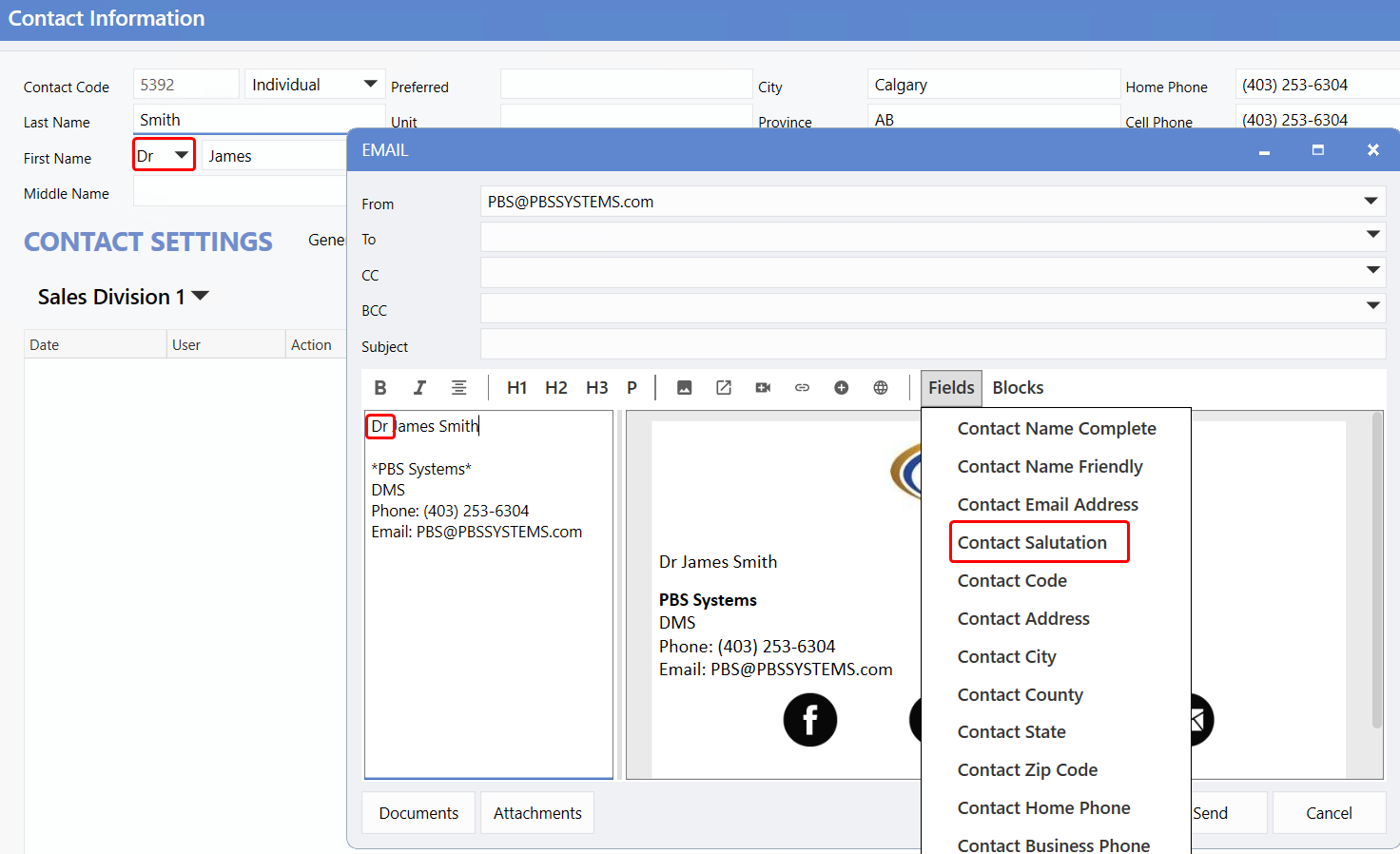
Whether your client holds a title like Doctor (Dr.), or you prefer to include general salutations like Mr. or Ms., you can now add these directly to your communications. The
Salutation
field in the
Contact File
can be inserted into documents using the
Contact Salutation
field.
|