|
10.23 Financial Dashboards Phase 3
KB 3249, Release Note, Accounting Development, 10/7/2025
In Version 10.23, elevate your financial reporting with powerful enhancements designed to deliver deeper insights and streamline account management.
These updates bring:
-
Detailed gross margin reporting for sharper profitability analysis
-
Simplified account setup to reduce complexity and save time
-
Improved data import tools for faster, more accurate updates
-
Enhanced validation rules to strengthen financial accuracy
By simplifying setups, accelerating workflows, and delivering richer margin insights, these improvements give your Dealership the tools it needs to smarter, data-driven decision-making.
With optimized account categorization, dedicated handling for non-operating accounts, and refined classification systems, Users gain clearer visibility, greater control, and the confidence that comes from accurate, compliant financial reporting.
Read on to learn more!
Chart Of Accounts Import Tool
We've added
Brands
,
Category
, and
Segment
fields to the COA Data Import Utility, making it easy to assign these classifications to your Chart of Accounts during import process. This enhancement streamlines account setup, reduces manual data entry, and allows you to configure multiple accounts at once while ensuring accurate and consistent categorization.
To use this feature, follow the path:
Accounting > General Ledger > Utilities > COA Data Import
Note:
Master User permission is required to use this feature.
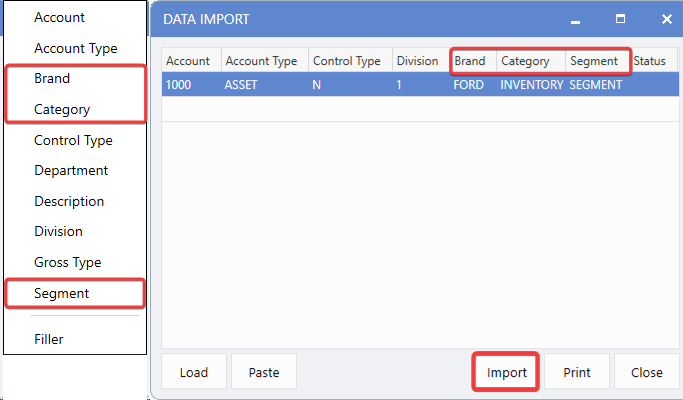
Category & Segment Validation
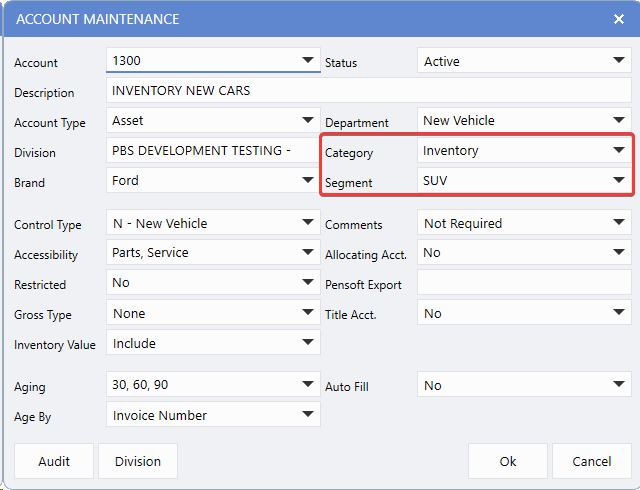
We've added validation rules to maintain proper hierarchy when assigning Categories and Segments to the Chart of Accounts. These rules ensure data integrity by requiring a category to be selected before a segment can be assigned, preserving logical organization and preventing setup errors that could impact reporting accuracy.
Note:
Segments cannot be assigned without a Category. If a Category is deleted, any associated Segment will be removed automatically.
To view these changes, follow the path:
Accounting > General Ledger > Maintenance > Accounting Setups > Chart of Accounts
Non-Operating Account Classification
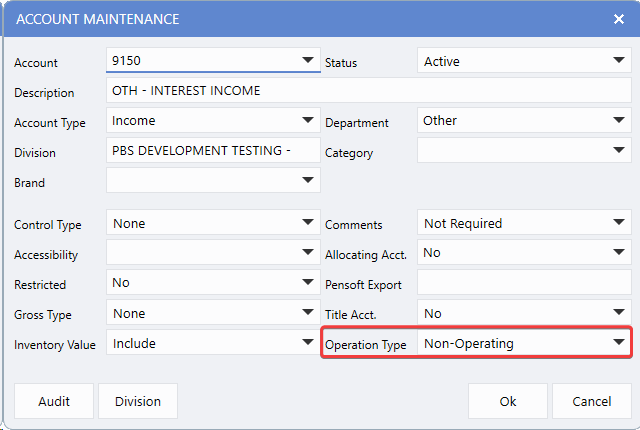
This enhancement removes the Adjustment account type and introduces a clear Non-Operating flag for
Income
and
Expense
accounts. This change makes it easy to distinguish operating from non-operating accounts for accurate Financial Statement presentation - ensuring reports reflect your Dealership's true operational performance while maintaining compliance with accounting standards.
Note:
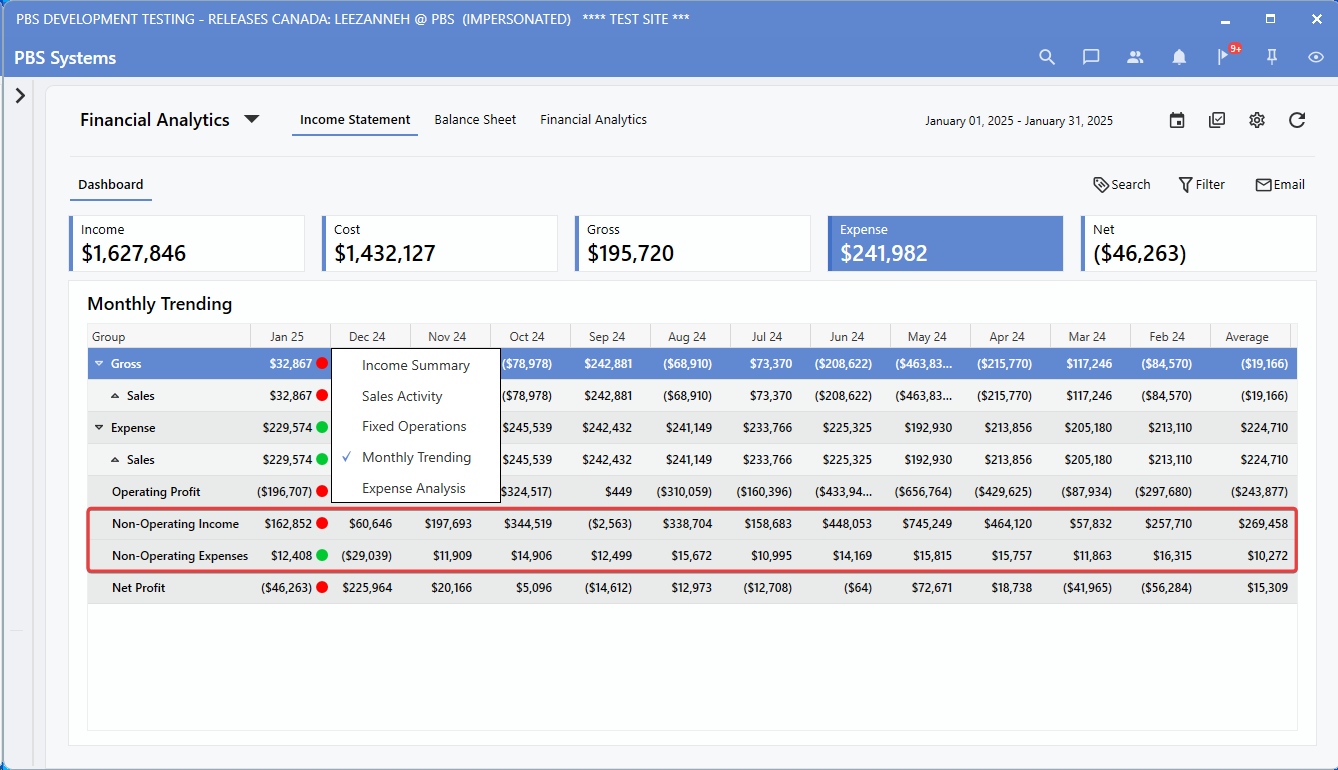
Accounts marked as Non-Operating will automatically appear in the Non-Operating section of Financial Reports and Dashboards. The Adjustment account type has been retired, and existing adjustment accounts will be automatically converted during the update.
To configure these changes, follow the path:
Accounting > General Ledger > Maintenance > Accounting Setups > Chart of Accounts
To view these changes, follow the path:
Dashboard > Income Statement > Monthly Trending View
Gross Margins
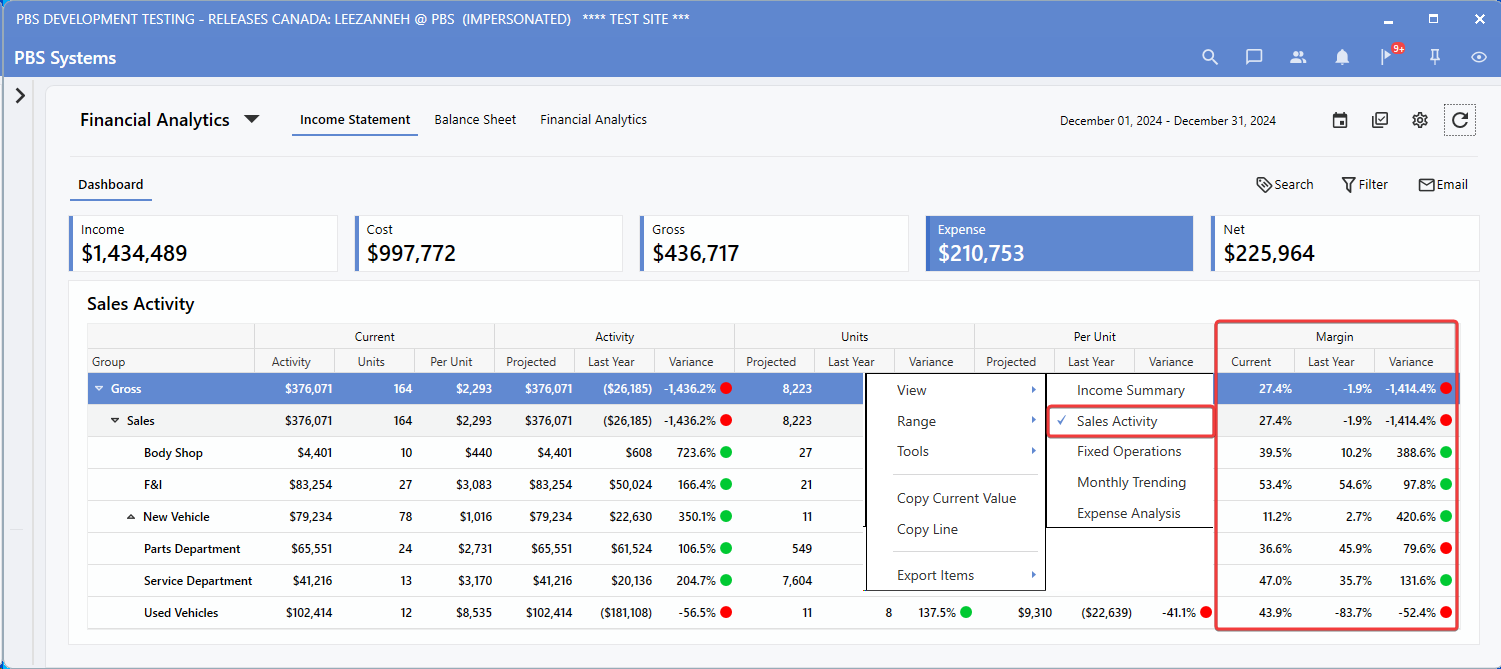
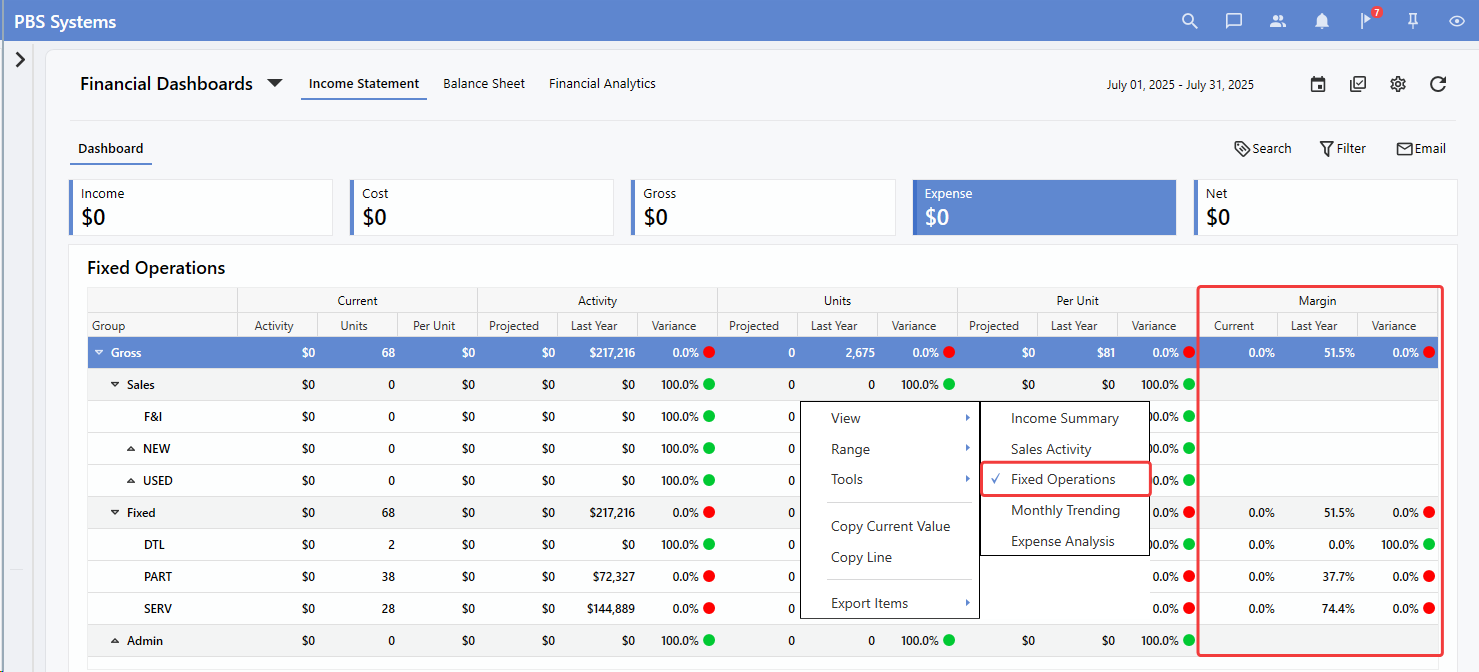
Gross margin calculations are now available in both the
Sales Activity
and
Fixed Operations
views on the
Income Statement Dashboard
. This enhancement gives Dealerships instant access to key profitability metrics alongside existing financial data - allowing for faster performance analysis and more informed decision-making at a glance.
To view these changes, follow the path:
Dashboard Income Statement Sales Activity
or
Fixed Operations View
Sales Activity View:
Fixed Operations View:
|