|
10.23 - Elavon ACH eCheck Integration (USA ONLY)
KB 3278, Release Note, Accounting Development, 1/15/2026
In Version 10.23, we're introducing ACH eCheck Integration, enabling U.S. Dealerships to accept online bank account payments for Receivables Invoices. Now, Customers can pay directly from their bank accounts - offering greater flexibility while helping Dealerships cut down on costly credit card fees on larger transactions.
The feature integrates seamlessly with your existing Elavon/Converge payment processing system and provides trusted Receivables Customers with a convenient, cost-effective alternative to credit card payments.
Note: ACH payments may be rejected for up to seven days after processing. To mitigate this risk, ACH is supported only for Receivables Customers.
To view these changes, follow the path: System Maintenance > Control Flags and System Maintenance > Online Express Pay Setup
Setup Requirements
Prerequisites
-
Available for U.S. Dealerships Only
-
Active Elavon/Converge account required
-
ACH must be enabled on the Elavon/Converge account
Control Flag
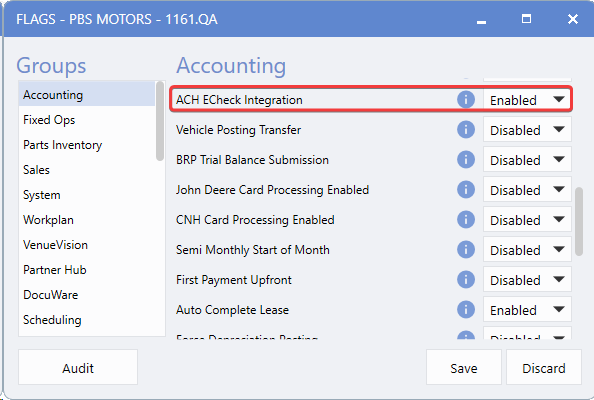
To activate ACH eCheck Integration,
contact PBS
to have the Control Flag enabled. Once enabled, the system will automatically create all necessary Deposit and Payment Type configurations.
For PBS Only:
to enable ACH, follow the path:
System > Tools > Control Flag > Accounting > ACH ECheck Integration
Configure the ACH Payment Option
Enable ACH to give your Customers the flexibility to pay receivables directly from their bank accounts.
Setup Path:
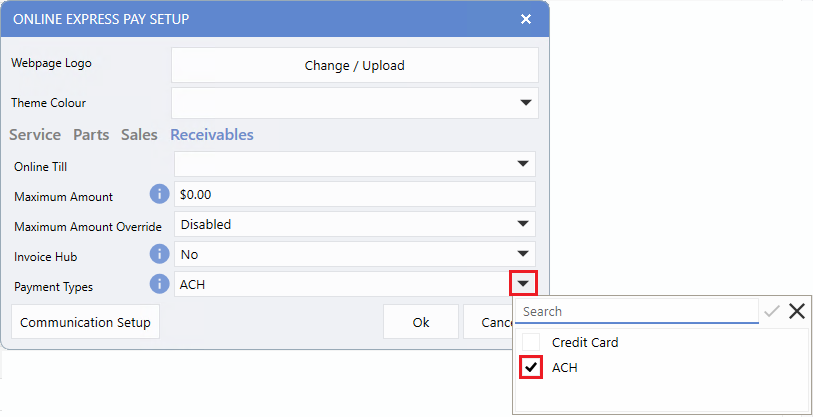
Accounting > Cash Control > Maintenance > Online Express Pay Setups Receivables Tab > Payment Types
Steps
1.
Open the
Online Express Pay Setup
window and select the
Receivables
tab.
2.
Under Payment Types, check the
ACH
option to enable this payment method.
Automatic System Configuration
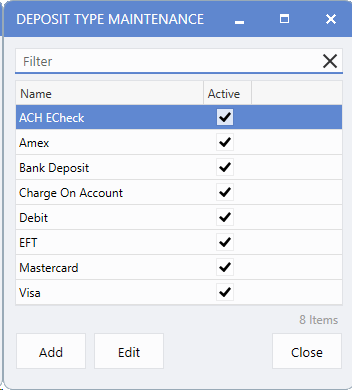
When the ACH eCheck Integration Control Flag is enabled, the system automatically generates all required payment processing components to simplify setup. The includes creating a new Deposit Type named ACH eCheck.
To view this addition, follow the path:
Accounting > Cash Control > Maintenance > Deposit Types
Account Configuration Required
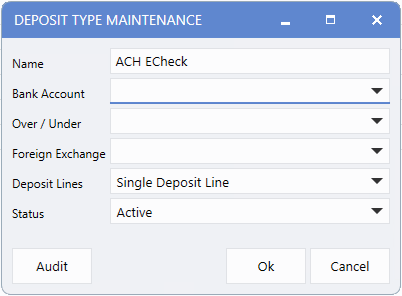
The ACH eCheck Deposit Type is created without pre-assigned accounts. Since account assignments are Dealership-specific, each Dealership must configure the appropriate accounts for this Deposit Type.
Important Note:
If accounts are not configured, Bank Deposits processed through the ACH eCheck Deposit Type will appear in Cash Control without an assigned account, potentially disrupting your accounting workflow.
Automatic Payment Type Creation
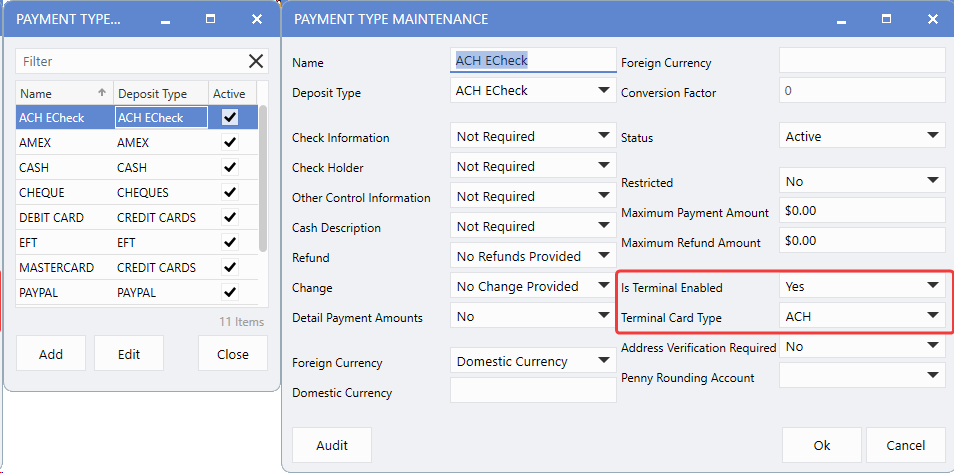
Alongside the Deposit Type, the system also generates a corresponding Payment Type named ACH eCheck. This Payment Type is automatically configured as terminal enabled with ACH Card Type settings, ensuring seamless integration with your existing payment processing.
To view these setups, follow the path:
Accounting > Cash Control > Maintenance > Payment Types
Customization
Dealerships can rename the automatically created Deposit and Payment Types as needed to align with internal naming conventions.
How To Use
Customer Payment Process
Receivables Customers can now choose between Credit Card and Bank Account (ACH) payment options when paying Invoices online.
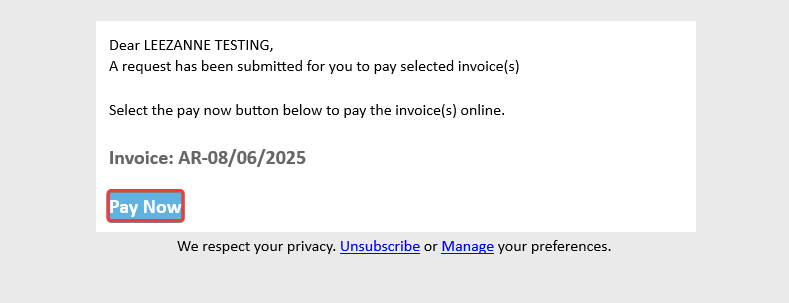
When a Customer receives their payment link via email, they simply click
Pay Now
to begin.
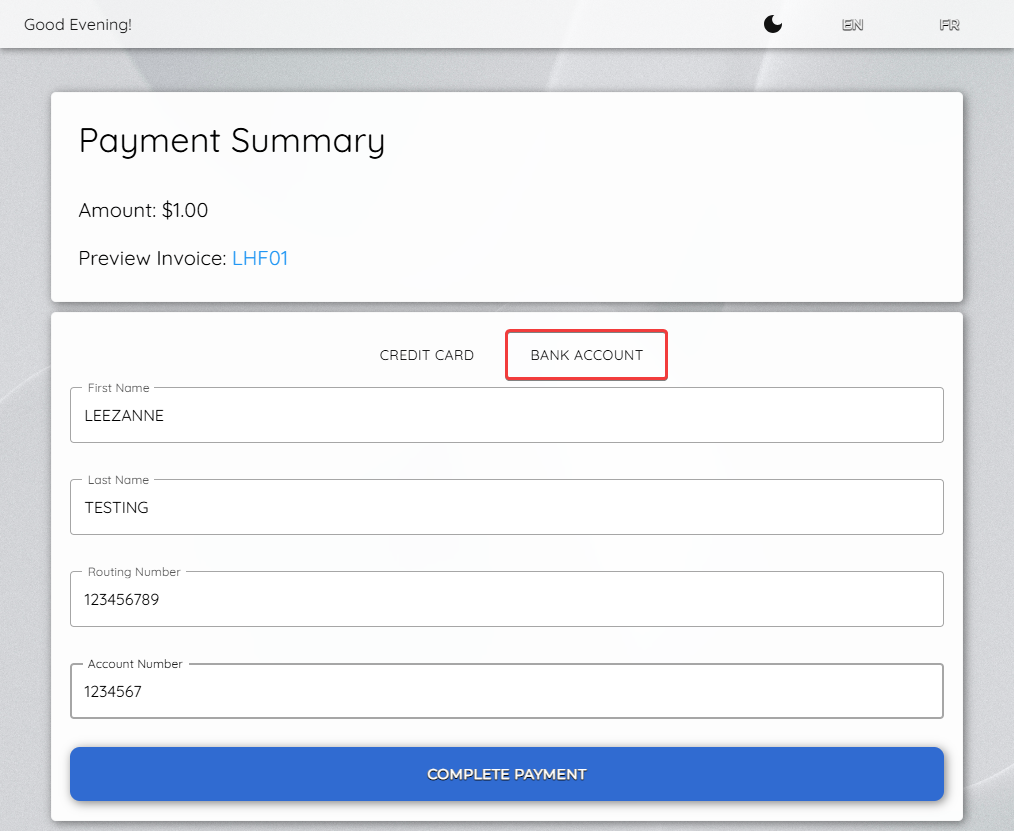
The Payment Summary window displays two tabs:
Credit Card
and
Bank Account
. To pay via ACH, the Customer selects the
Bank Account
tab, enters their
Routing Number
and
Account Number
, then confirms the payment.
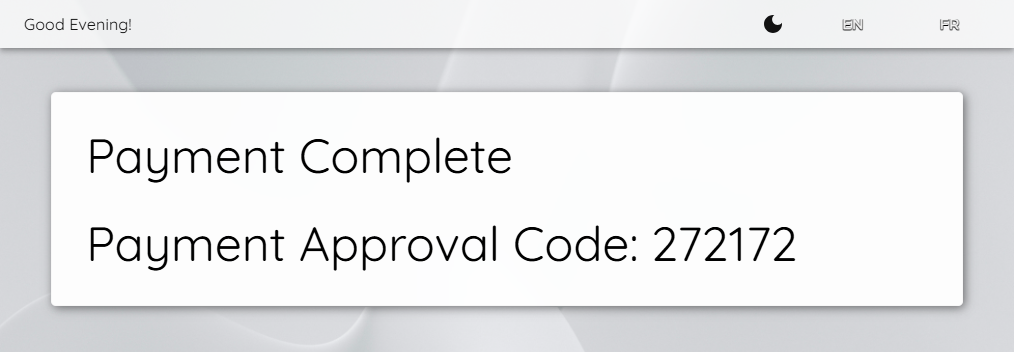
Upon successful processing, Customers see an
Approval Confirmation Message
on-screen and immediately receive an email receipt for their records.
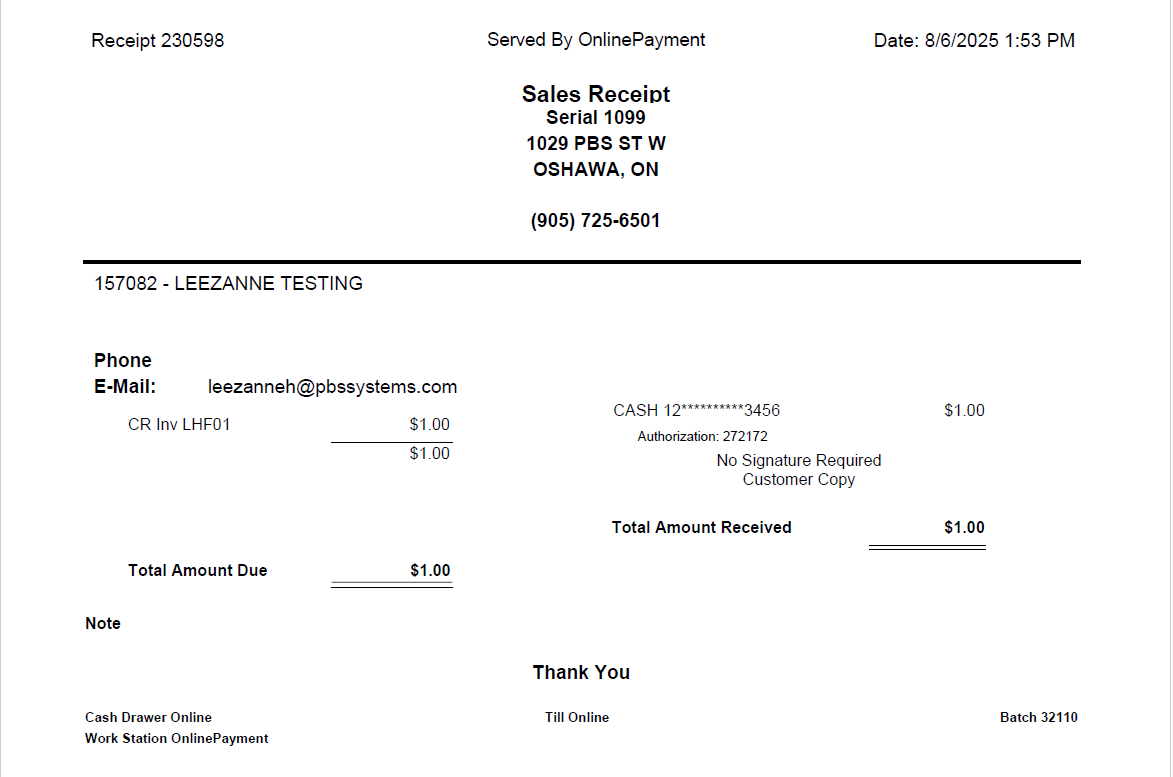
Processing ACH Payments
ACH payments integrate seamlessly into your existing workflow and appear in V10 using the ACH eCheck payment type, making them easily to track in your records.
Note:
Unlike credit card payments, ACH transactions may still be rejected for up to seven days after initial approval. Since the system cannot automatically detect these post-approval rejections, Dealerships must:
ACH Refunds
ACH payments cannot be refunded directly to the original bank account. Refunds must be issued using an alternative payment method, such as cash or cheque.
When processing refunds, select the appropriate refund payment type that matches the to ensure accurate documentation and accounting.
Note:
The ACH payment type is receive-only. It will not available for selection when processing outgoing payments in V10.
|