|
When a Service Advisor is creating a Service Order without the Customer present and there is no pre-booking, they can now easily obtain the Customer's approval and signature remotely. The
SO Checked In Customer Notification
now allows Customers to sign the Hard Copy directly online.
When the Customer clicks the link in the Checked In Notification that directs them to their Service Order, they will now see a new
Review & Sign
button.
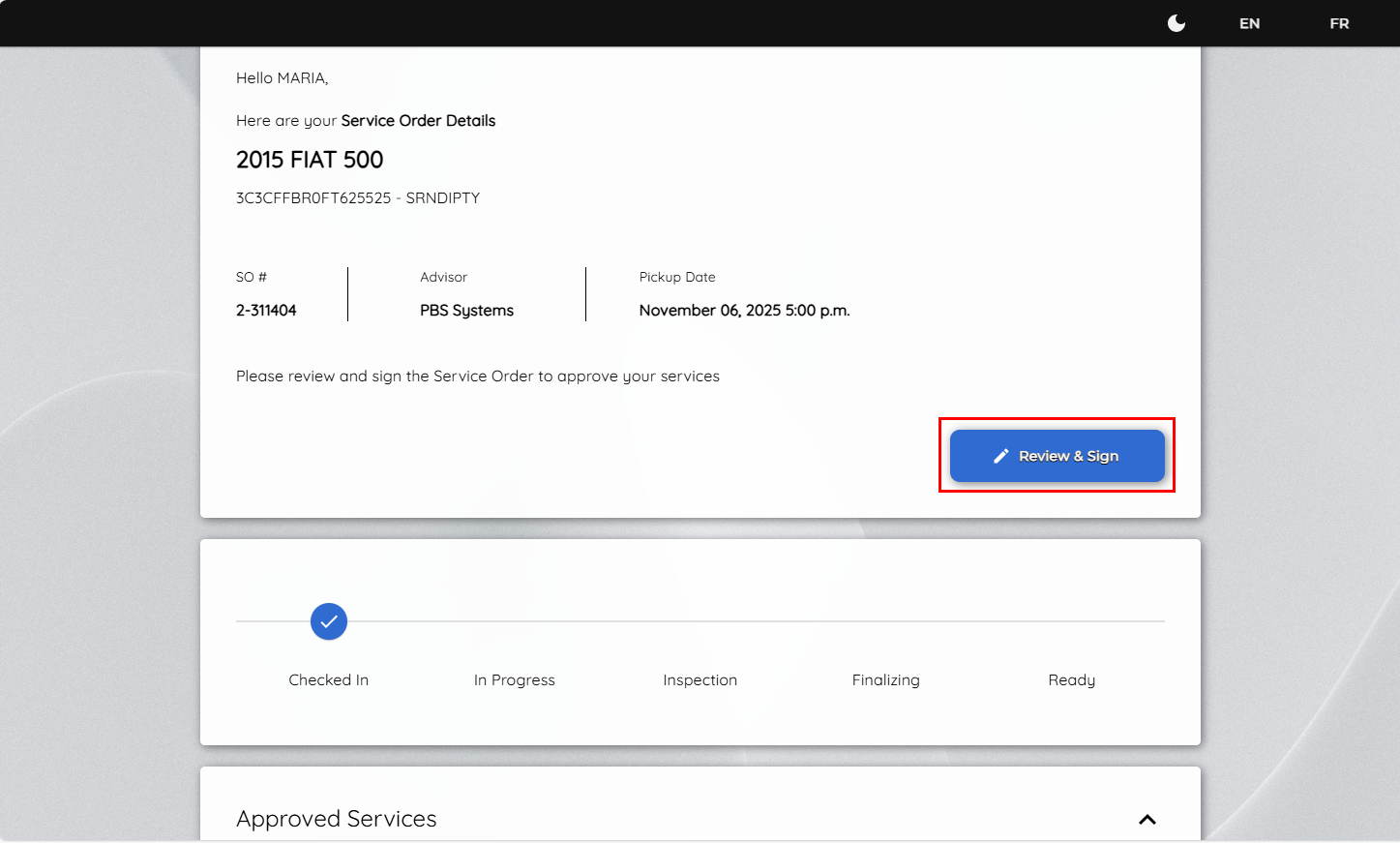
Clicking the button opens the document for the Customer to review, with a signature box displayed at the bottom.
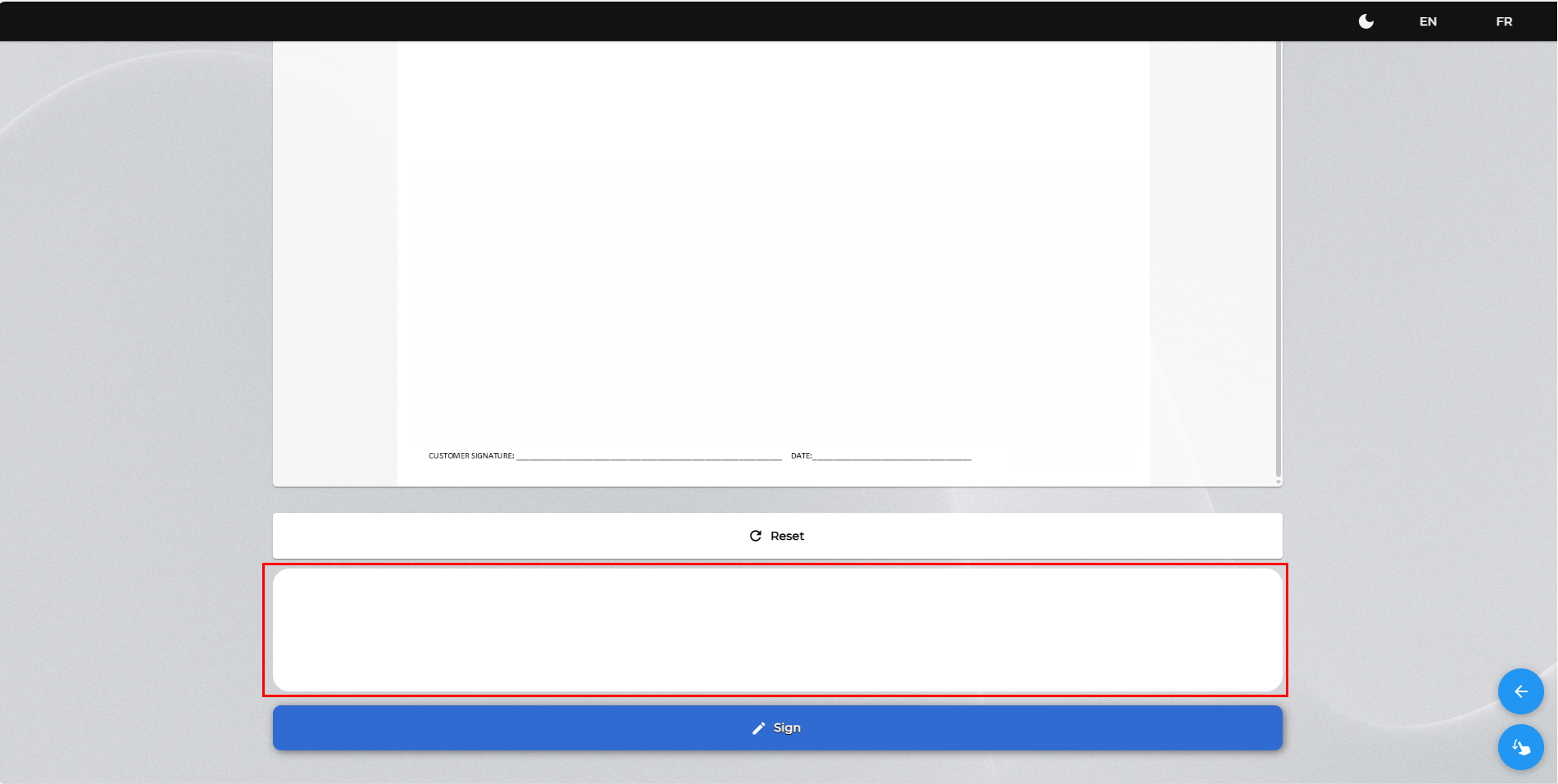
If the Advisor still has the Service Order open when the Customer accesses the page, a message will prompt the Customer to try again later, as the record is temporarily data-locked.
Once the Customer completes the signature, they'll see a confirmation prompt and the document will be automatically uploaded into the V10 software and stored under Archive Documents.
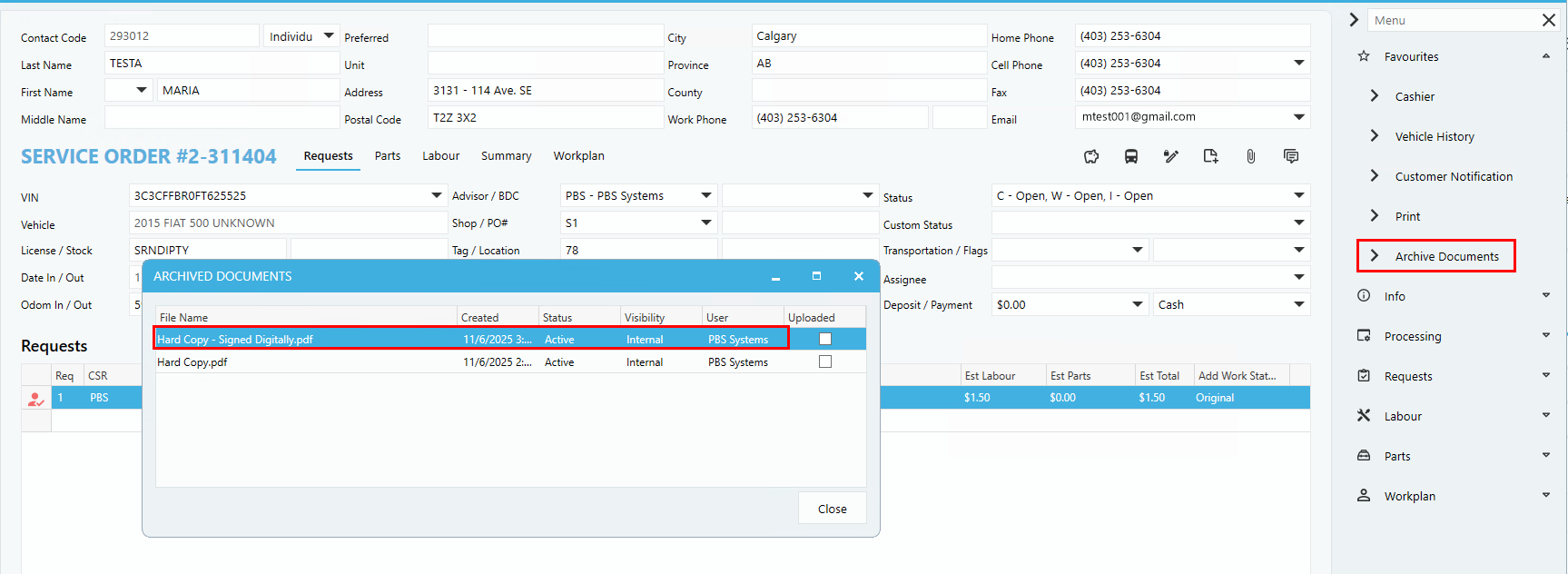
Note:
Only one signature can be captured in the Service Order. If the Customer has already signed in person and that signature was saved during the initial write-up, the Review & Sign button will not appear.
10.23.2 CNH North America - Repair Order data, VIN Inquiry, SRT (LOP), Telemetry, and Faults
Review the details by clicking the link below.
KB 3164 CNH North America - Repair Order data, VIN Inquiry, SRT (LOP), Telemetry, and Faults
10.23.8 Patch Updates
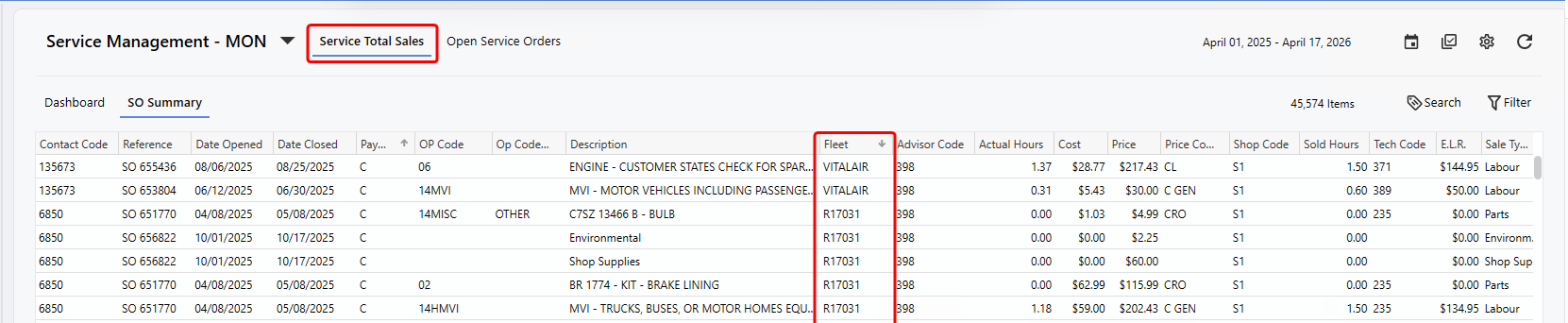
Service Total Sales Dashboard Page - Fleet Column Added
Dealerships can now add the
Fleet column
from the right-click customize to the Service Total Sales Dashboard. The streamlines reporting for fleet Customers, provides easier access to relevant data and improves efficiency by removing the need to cross-reference multiple reports.
|