|
Web Appointments - Enhanced Vehicle Display Beyond Chrome
KB 3628, Release Note, Digital Service Suite, 11/6/2026
We are pleased to introduce an enhancement to Web Appointments in version 10.23.16, allowing Customers to schedule Appointments for vehicle Makes and Models not available through the ChromeData API (Chrome).
Previously, selecting certain vehicle Makes resulted in an empty Models drop-down when the corresponding information was unavailable in Chrome.
With this enhancement, Web Appointments now automatically populates the Models drop-down with the vehicle Models configured for the selected Make in v10, allowing Customers to continue scheduling their appointments seamlessly.
Shop Maintenance - Default Makes Settings
Dealerships can configure default vehicle Makes in their Shop Maintenance settings, including custom Makes not supported by Chrome.
To access Shop Maintenance, follow the path:
Fixed Ops > Appointments > Maintenance > Shop Maintenance
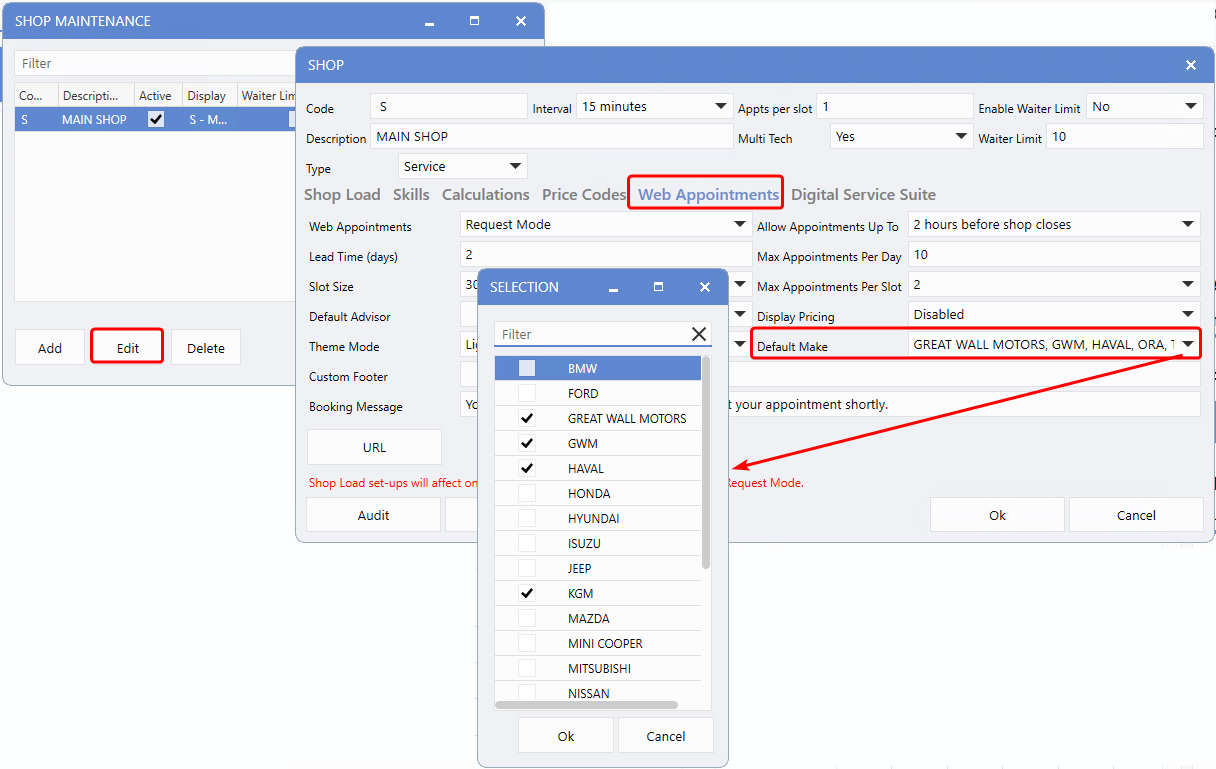
To configure Default Makes, follow the steps below:
1. Select your
Shop
and click
Edit
.
2. Click the
Web Appointments
tab.
3. Click the drop-down arrow in the
Default Make
field and select your preferred vehicle Makes.
Adding models in v10
To add new models to the Web Appointments drop-down list, navigate to
Vehicles > Maintenance > Vehicle Types > Models
in v10 and configure the required models.
How it Works!
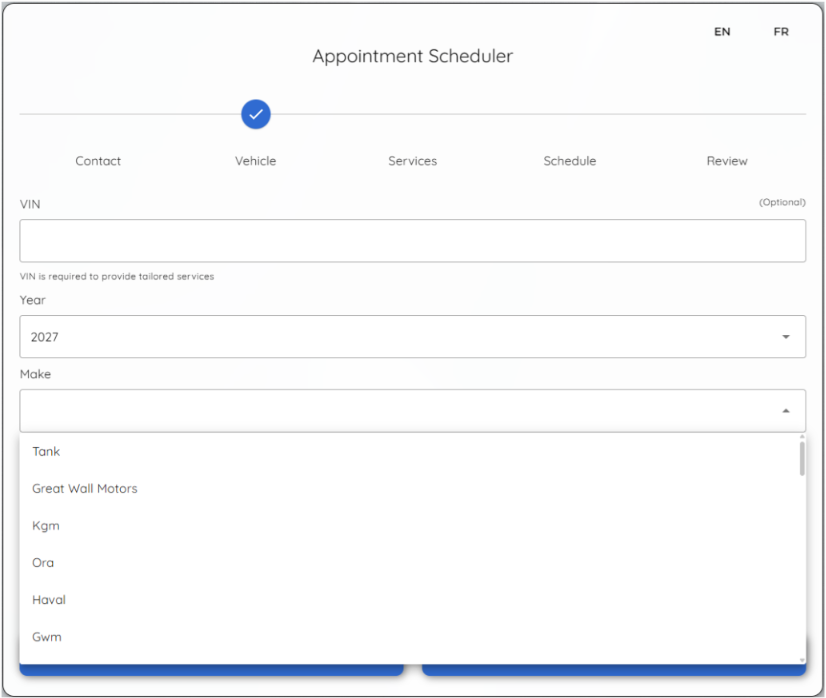
Dealer-defined default Makes will appear at the top of the Makes drop-down in Web Appointments, making them easier for Customers to find and select.
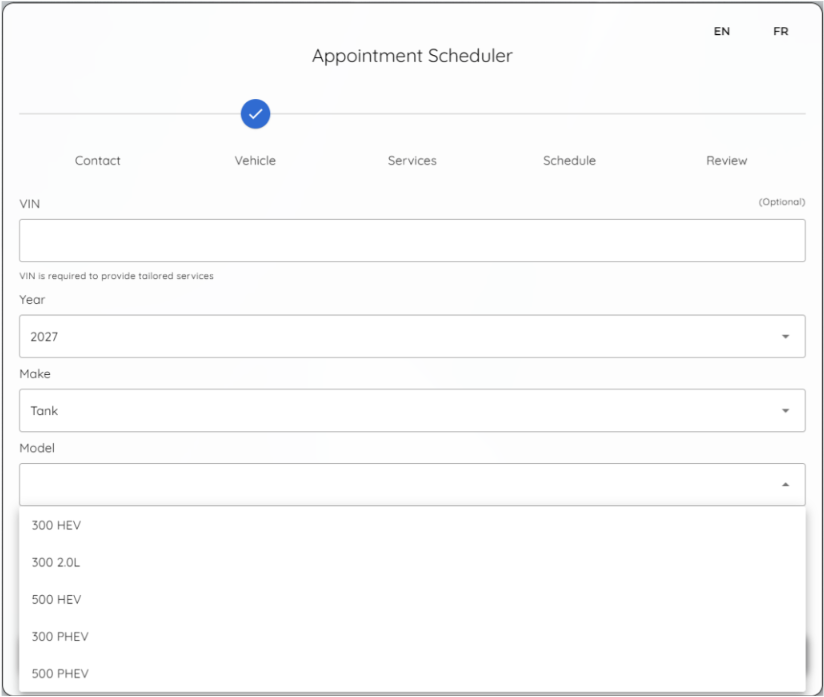
Once a Customer selects a Year and Make, Web Appointments first searches Chrome for available Models. If Chrome does not return any results, the system automatically retrieves the Models configured for that Make in v10. These Models are then displayed in the drop-down list, allowing Customers to proceed with scheduling their appointments seamlessly.
|